Hey there! I’m part of a video processor supplier team, and today I wanna chat about how a video processor handles video scaling. It’s a super interesting topic, especially in our digital age where we’re constantly switching between different screen sizes and resolutions. Video Processor
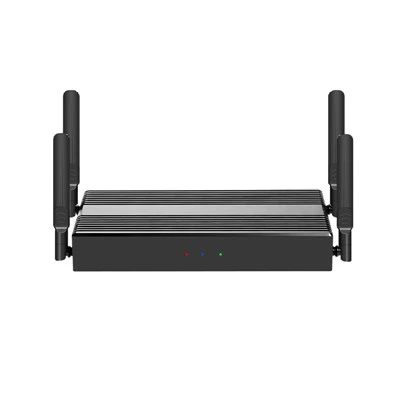
Let’s start with the basics. What is video scaling? Well, it’s all about changing the size of a video image. Maybe you’ve got a video that’s recorded in a certain resolution, but you want to display it on a screen with a different resolution. That’s where video scaling comes in. It helps make sure the video fits nicely on the target display, whether it’s a tiny smartphone screen, a big TV, or a widescreen monitor.
So, how does a video processor actually handle this scaling? The first thing to understand is that there are two main types of scaling: upscaling and downscaling.
Upscaling is when you take a video with a lower resolution and increase its size to fit a higher – resolution display. For example, you might have a video that was recorded in 720p (1280×720 pixels) and you want to show it on a 4K (3840×2160 pixels) TV. The video processor has to fill in the missing pixels to make the video look as good as possible on the larger screen.
One of the most common methods for upscaling is interpolation. There are different interpolation algorithms, but the basic idea is to estimate the values of the missing pixels based on the values of the existing pixels. For instance, in nearest – neighbor interpolation, the processor simply copies the value of the nearest existing pixel to the new pixel. It’s a very simple and fast method, but it can make the upscaled video look blocky and pixelated, especially when there are a lot of details in the video.
A more sophisticated method is bilinear interpolation. This method takes into account the values of the four nearest pixels to estimate the value of the new pixel. It calculates a weighted average of these pixels, based on their distance from the new pixel. Bilinear interpolation usually produces a smoother image compared to nearest – neighbor interpolation, but it can still cause some loss of sharpness.
There’s also bicubic interpolation, which is even more advanced. It considers the values of the 16 nearest pixels to estimate the value of the new pixel. Bicubic interpolation can create a very high – quality upscaled image, with better preservation of details and less blurring. However, it’s also more computationally expensive, which means it takes more processing power and time.
Downscaling, on the other hand, is when you take a video with a higher resolution and reduce its size to fit a lower – resolution display. For example, showing a 4K video on a 1080p (1920×1080 pixels) monitor. The video processor has to decide which pixels to keep and which ones to discard.
One approach to downscaling is simply skipping pixels. But this can lead to a loss of important details in the video. A better way is to use a filter to average the values of a group of pixels and then use that average value as the value of the new pixel. This helps to preserve the overall look and feel of the video, while reducing its size.
For example, a simple box filter can be used. It takes a group of adjacent pixels (like a 2×2 or 3×3 grid) and calculates the average of their values. Then it uses that average as the value of the new pixel. This method is relatively fast, but it can sometimes make the downscaled video look a bit blurry.
A more advanced filter is the Lanczos filter. It’s a more complex filter that can produce a sharper and more detailed downscaled image compared to the box filter. However, like bicubic interpolation in upscaling, it requires more processing power.
Now, our video processors are designed to handle both upscaling and downscaling very effectively. We’ve built – in a variety of interpolation and filtering algorithms, so we can offer the best quality for different use cases. Whether you need a fast and simple scaling for a basic application or a high – quality scaling for a professional video production, we’ve got you covered.
Our processors also have some unique features that set them apart from the competition. For example, we’ve implemented real – time optimization techniques. This means that the processor can analyze the video content on the fly and adjust the scaling algorithm accordingly. If the video has a lot of fast – moving objects, it might choose a faster algorithm that can keep up with the action. If the video is a still image or has a lot of fine details, it can switch to a more advanced algorithm for better quality.
Another great feature is our support for different color spaces and bit depths. Video scaling can sometimes affect the color accuracy and the overall visual quality of the video. Our processors are designed to handle these issues by maintaining the integrity of the color information throughout the scaling process.
We also offer easy – to – use software interfaces for configuring the scaling settings. You don’t need to be a technical expert to set up the video processor. Our software allows you to adjust parameters like the scaling algorithm, the output resolution, and the color settings with just a few clicks.
If you’re in the market for a video processor that can handle video scaling with high quality and efficiency, we’d love to hear from you. Whether you’re a consumer looking to enhance your home entertainment system, a professional in the video production industry, or a business in need of video processing solutions for your digital signage or presentation needs, we can provide the right products and services for you.

Don’t hesitate to reach out to us to discuss your specific requirements and get a customized solution. We’re always happy to help and look forward to working with you.
Presentation & Collaboration References:
- “Digital Video Processing” by Charles A. Poynton
- “Video Encyclopedia” for general information on video processing concepts
Shenzhen TranScreen Technology Co., Ltd.
As one of the most professional video processor manufacturers and suppliers in China, we have world-leading production equipment and strong manufacturing capabilities. Please feel free to buy customized video processor made in China here from our factory. Contact us for quotation.
Address: No. 168, Baoyuan Road, Baoan Dst., SZ, China
E-mail: inquiry@transcreen.com
WebSite: https://www.transcreen.com/
